
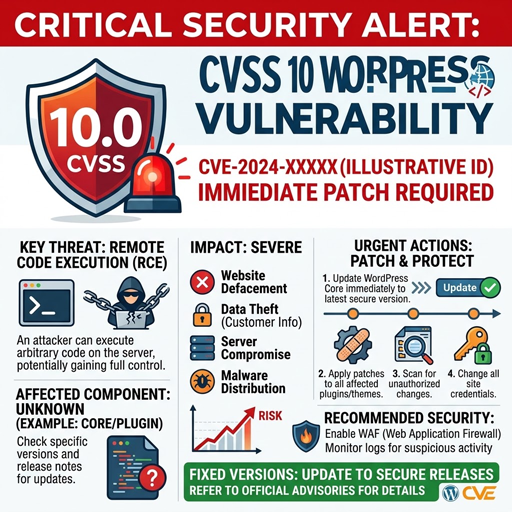
A critical Bricksforge vulnerability affecting WordPress sites is now being exploited in the wild, raising urgent patching pressure for site owners, developers, and agencies that maintain Bricks Builder-based installations. The flaw, tracked as CVE-2026-85097, allows unauthenticated attackers to upload and execute arbitrary PHP code on vulnerable websites, creating a path to remote code execution and possible site takeover. Patchstack rates the issue at CVSS 10.0, while Wordfence lists it as CVSS 9.8, but both assessments place it in the critical category and recommend immediate updates.
What happened?
Attackers are actively targeting vulnerable versions of the Bricksforge WordPress plugin after security researchers disclosed an unauthenticated arbitrary file upload flaw tied to the plugin’s Pro Forms file upload handling. Patchstack said it first observed exploitation attempts on October 7, 2026, at 21:47 UTC, and reported that affected sites should update to Bricksforge 3.1.8.10 or later. Wordfence’s vulnerability record also identifies versions up to and including 3.1.8.9 as affected and lists 3.1.8.10 as the patched version.
The vulnerability matters because it does not require a valid WordPress account. In practical terms, an external attacker can interact with the vulnerable upload flow, place malicious PHP code on the server, and then trigger that code if the site remains unpatched. That is why this cvss 10 wordpress vulnerability is more than a theoretical plugin bug: it is a live WordPress security incident with real exploitation activity already reported.
Key facts at a glance
|
Detail |
Current information |
|---|---|
|
CVE |
CVE-2026-85097 |
|
Product |
Bricksforge plugin for WordPress |
|
Vulnerability type |
Unauthenticated arbitrary file upload leading to RCE |
|
Affected versions |
Bricksforge up to and including 3.1.8.9 |
|
Patched version |
3.1.8.10 or later, according to Patchstack and Wordfence |
|
Severity |
CVSS 10.0 from Patchstack; CVSS 9.8 from Wordfence |
|
Exploitation status |
Active exploitation observed by Patchstack |
|
Authentication required |
No |
The severity difference is worth noting, but it should not slow remediation. A CVSS score helps teams rank risk, yet the deciding factor here is active exploitation combined with unauthenticated access and server-side code execution. Whether a risk register records the score as 10.0 or 9.8, this issue belongs at the top of the patch queue.
How the flaw leads to remote code execution
The vulnerability stems from insufficient validation of attacker-controlled file metadata during form submission. Patchstack reported that Bricksforge validates the MIME type when a file is first uploaded, but later trusts client-supplied metadata in the temporaryFileUploads parameter. Wordfence describes the same issue: an unauthenticated attacker can obtain a valid nonce, upload a GIF/PHP polyglot file, and then submit crafted metadata that points the file path to the validated image while setting the URL field to a PHP extension.
That mismatch is the core weakness. A file can appear to pass an image upload check while still carrying executable PHP content. When the application later places or references the file as PHP, the server may execute the embedded code. In the context of WordPress security, this is especially dangerous because successful execution can allow attackers to install web shells, modify content, read sensitive data, or establish persistent access.
Researchers reported that exploitation attempts targeted the Bricksforge REST API form submission endpoint and, in some cases, the WordPress admin AJAX endpoint with the Bricksforge form action. Patchstack also described payload variation, including alternate PHP extensions, case manipulation, and encoded extensions, which suggests attackers are testing ways to bypass filtering. That behavior is consistent with automated probing rather than a single manual intrusion attempt.
Why this is serious for WordPress site owners
Bricksforge extends Bricks Builder with features such as advanced forms, animations, custom interactions, dynamic data management, and backend customization. That makes it useful on modern WordPress sites, but it also means a flaw in a form upload path can sit close to public-facing functionality. SecurityWeek reported that Patchstack described Bricksforge as being used by roughly 6,000 websites, making the exposed population meaningful even if it is not among the largest WordPress plugin ecosystems.
The incident is also a reminder that plugin vulnerabilities often carry the highest operational risk when they affect common website workflows. Forms, uploads, REST routes, and AJAX handlers are designed to accept public input. When validation fails in those areas, attackers do not need to steal credentials first; they can move directly against the application surface that is already exposed to visitors.
For site owners, the practical risk is not limited to defacement. Remote code execution can become a foothold for spam injection, malware hosting, credential theft, SEO poisoning, payment-page tampering, or lateral movement into hosting environments. Even if an attacker’s first action is small, a web shell can allow repeated access after the initial vulnerability is patched. That is why teams should treat patching and compromise assessment as separate tasks: closing the hole does not automatically remove anything already planted.
The patch is available, but teams should verify versions carefully
Patchstack and Wordfence both identify Bricksforge 3.1.8.10 as the fixed version for CVE-2026-85097. The Bricksforge changelog also lists an October 8, 2026 security fix for the Pro Forms file upload in version 4.0.1, stating that the issue affects every site with Pro Forms active and that updating is strongly recommended. Because versioning can differ across release channels or major-version tracks, administrators should verify the installed version inside WordPress and confirm that it is on a fixed release line.
A security patch should be deployed as soon as possible, but production sites still need a clean update process. Back up files and the database, confirm compatibility in staging when feasible, then update the plugin and test forms that rely on Bricksforge Pro Forms. If a site cannot update immediately, it should be placed behind compensating controls such as a managed web application firewall rule or host-level mitigation while the permanent patch is scheduled. Patchstack says it issued a mitigation rule for the vulnerability, but mitigation should not be treated as a substitute for updating the affected plugin.
Recommended response for administrators
Site owners and agencies should start with a quick inventory. Identify every WordPress installation using Bricksforge, check the installed version, and determine whether Pro Forms is active. The vendor changelog notes that the Pro Forms file upload security issue affects sites with Pro Forms active, including sites whose forms do not use upload fields, so relying only on whether a form visibly accepts files may miss exposure.
Use this response checklist to prioritize action:
- Update Bricksforge immediately. Move to 3.1.8.10 or later, or to the current fixed release available for your license and update channel. Confirm the update completed rather than assuming automatic updates succeeded.
- Review server and application logs. Look for requests to /wp-json/bricksforge/v1/form_submit, suspicious use of temporaryFileUploads, calls to bricksforge_regenerate_nonce, and unexpected requests to PHP files in upload directories. Patchstack specifically lists these as detection points.
- Inspect upload directories. Search for unexpected PHP files under /wp-content/uploads/bricksforge/tmp/ and other uploads paths, especially files with names that do not match normal media workflows. Patchstack noted that newly created PHP files in upload directories are a warning sign.
- Run a vulnerability assessment. Check all plugins, themes, and custom code, not just Bricksforge. Attackers commonly chain weak points, and a compromised WordPress site may contain backdoors outside the original vulnerable component.
- Rotate credentials if compromise is suspected. Change WordPress administrator passwords, hosting panel credentials, SFTP/SSH keys, database passwords, and API keys after cleaning the site. Do not rotate secrets before removing malicious files if attackers may still have active access.
- Restore from a known-good backup when needed. If you find evidence of a web shell or unauthorized code changes and cannot fully scope the intrusion, rebuild from a clean backup, patch before reconnecting public traffic, and then reintroduce only verified files.
These cybersecurity tips are intentionally operational rather than theoretical. The goal is to reduce exposure quickly, preserve useful evidence, and avoid the common mistake of patching the plugin while leaving attacker-created files behind.
Signs of exploitation to investigate
Patchstack’s reporting gives defenders several concrete indicators to investigate without publishing a full exploit recipe. The most important pattern is a form submission containing temporaryFileUploads where an image-like file path is paired with a PHP-related destination URL. Security teams should also review traffic that uses alternate PHP extensions or encoded extension strings, because Patchstack observed attackers testing variations designed to bypass simple extension checks.
Log review should cover both web server logs and WordPress-level security logs if available. A suspicious sequence may include a nonce request, a temporary upload, a form submission, and then a direct request to a newly created PHP file in an uploads directory. The presence of one event alone may not prove compromise, but the sequence is concerning and should trigger deeper investigation.
Administrators should be careful not to delete evidence too quickly. If the site supports business-critical workflows, preserve copies of suspicious files, relevant logs, timestamps, source IPs, and request paths before cleanup. This helps incident responders determine whether the attacker merely attempted exploitation or successfully executed code. It also helps hosting providers or security teams tune detection rules for related plugin vulnerabilities.
The exploitation pattern points to automation
Patchstack reported two notable clusters in its telemetry: one involving 44 IPs sending 56 requests with identical payloads within seconds, and another involving three IPs testing 25 PHP extension and encoding variations against the same temporary file. Patchstack said those patterns point to automated exploitation over rotating proxies or distributed infrastructure, while not proving attribution to a single threat actor.
That detail matters for defenders because automation compresses the response window. Once a critical WordPress bug is public and a patch exists, attackers can scan broad ranges of websites looking for lagging updates. Smaller sites are not safe simply because they have low traffic or limited brand visibility. Automated campaigns do not need to know whether a target is important before trying a request.
For agencies managing many WordPress properties, the correct response is centralized triage. A spreadsheet of client sites is not enough unless it records plugin versions, update status, web application firewall coverage, backup freshness, and last compromise check. Bricksforge should be treated as an urgent line item in that inventory, especially where Pro Forms is active.
CVSS alone is not enough for prioritization
This incident also shows why vulnerability management should not rely on a cvss score alone. Patchstack’s database lists the risk as CVSS 10, while Wordfence lists CVSS 9.8 under the CVSS 3.1 vector. In day-to-day remediation, that distinction is less important than the combination of unauthenticated access, remote code execution, a public patch, and observed exploitation.
A healthy vulnerability assessment process should weigh several signals together: exploitability, exposure, business criticality, patch availability, known exploitation, and the difficulty of rollback if an update causes problems. In this case, all the practical signals point in the same direction. The plugin is internet-facing on many sites, the bug can lead to code execution, and attacks have already been observed.
That does not mean every critical advisory deserves panic. It means teams should have a repeatable process that converts an advisory into action: identify affected assets, apply the security patch, verify the fix, look for compromise, and document the outcome. The process should be fast enough for active exploitation but disciplined enough to avoid breaking production sites unnecessarily.
Broader WordPress security lessons
The Bricksforge case reinforces a familiar but important lesson: WordPress security depends on the full software stack, not just WordPress core. Plugins add valuable functionality, but they also add code paths that may accept public input, process files, call APIs, or write to the server. The more powerful the plugin, the more important secure validation, least privilege, update hygiene, and monitoring become.
Site owners should reduce avoidable risk by removing unused plugins, disabling unused modules, and limiting write permissions where possible. Upload directories should not execute PHP unless there is a specific and justified need. Security plugins, host-level malware scanning, and web application firewall rules can provide additional coverage, but they work best as layers rather than replacements for patching.
Developers can take a separate lesson from the metadata handling issue. File validation should not happen only at the first upload step if later workflow stages trust client-controlled fields. Server-side code should revalidate file type, extension, destination, and storage path at every security boundary. A design that checks the file once and later trusts submitted metadata can turn a narrow upload feature into a full RCE path.
What happens next
Patchstack said it is continuing to monitor the campaign for new payload variations and bypass attempts. That means defenders should expect scanning and exploitation attempts to continue even after the first wave of reporting. Public attention often increases attacker interest in plugin vulnerabilities because the advisory tells both defenders and attackers where to look.
For most site owners, the next step is straightforward: confirm whether Bricksforge is installed, update to a fixed version, and review logs for signs of exploitation. For managed service providers, the priority is broader: contact affected clients, document patch status, and run post-update checks for suspicious PHP files in upload paths. A quick update closes the known vulnerability; a careful review confirms whether the site was already touched.
The window for passive monitoring has passed. CVE-2026-85097 is now an active WordPress security issue with a patch available and exploitation observed. Teams that move quickly can reduce the chance of compromise, while teams that delay risk leaving an unauthenticated RCE path open on public websites.
